If you’ve ever shopped for a small home server and wondered whether an Apple Silicon Mac mini could do the job, one Docker Community Forums thread captures the practical question many people run into: what happens when most of your existing Docker images are built for x86, but your new machine is ARM?
In the post, a user describes moving from a previous setup running an Ubuntu x86 instance to considering a Mac mini M1 for running “various containers and other things.” The catch is straightforward: the majority of images they rely on are x86-based, and they haven’t spent much time in the ARM world—until now. They ask the key compatibility questions: will *all* Docker images run as expected on an M1 Mac, does this go through Apple’s Rosetta 2, or is there another abstraction layer, and what—if anything—needs to change?
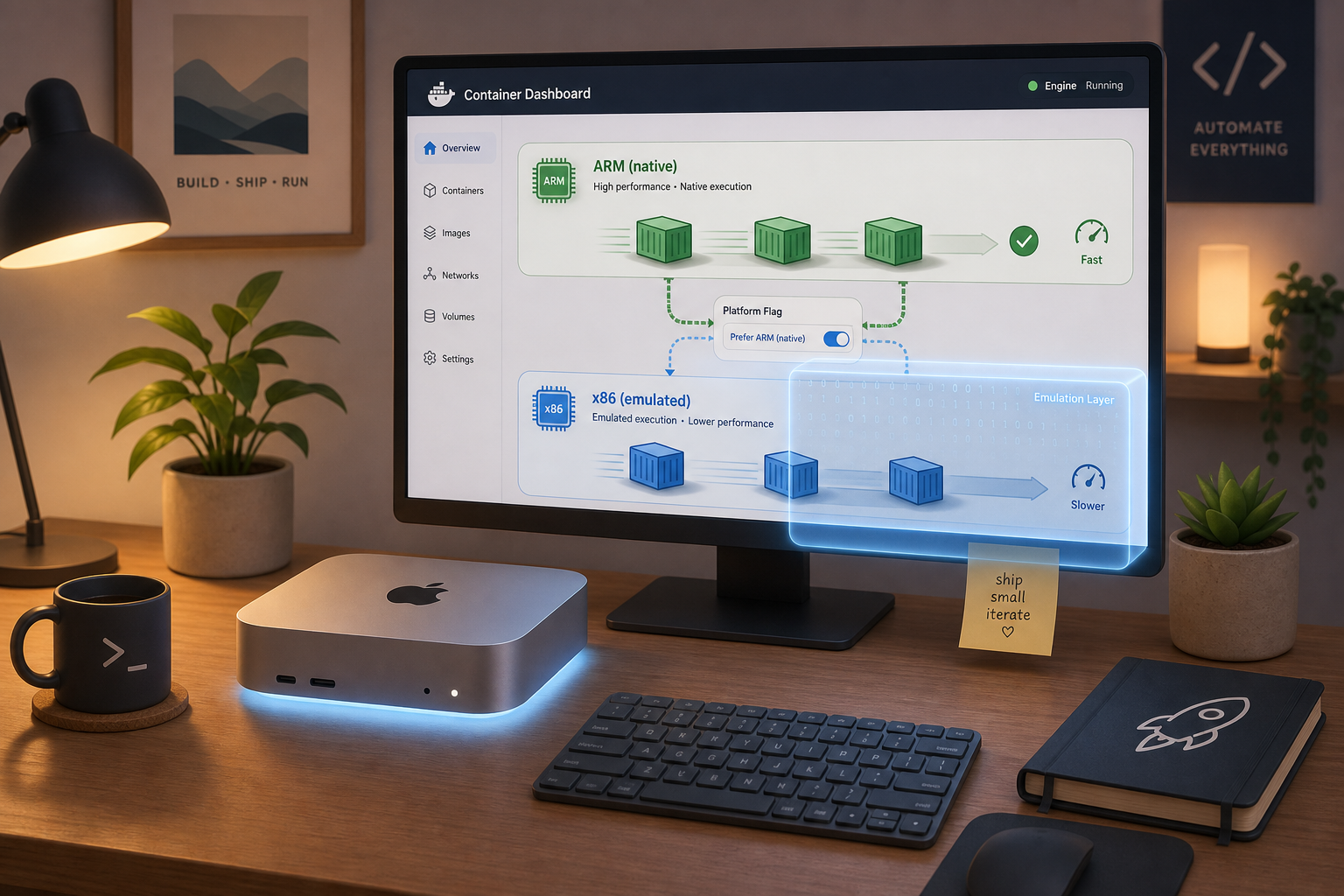
The replies get to the heart of how Docker behaves on Apple Silicon. One respondent says you can run both ARM and Intel (x86) containers on an Apple M1 Mac using Docker Desktop for Mac, noting that they do it regularly. The default is to run the ARM version, but the commenter points out that you can request an Intel variant by specifying a platform flag (for example, using `–platform`).
But the thread doesn’t paint x86-on-ARM as magically seamless. Another response clarifies the tradeoff: when you run a container for a different CPU architecture than the host, that container has to be emulated. In this context, the discussion names QEMU as the emulation route used for Intel images on an ARM-based Apple Silicon Mac. And with emulation come the expected caveats—there can be a performance hit, and in some cases things may not work at all.
As the conversation continues, users share the kind of friction that only shows up once you try it yourself: warnings about platform mismatches, images that behave inconsistently depending on what they’re built on, and the reminder that “Docker Desktop is for development and emulation,” not a guarantee that every legacy x86 container will run perfectly on new ARM hardware.
The overall takeaway from this single thread is less about hype and more about expectations. Yes, Docker Desktop on Apple Silicon can run ARM containers natively and can run x86 containers via emulation when you explicitly target that platform. But choosing between “it runs” and “it runs well—and reliably” depends on whether you can use ARM-native images, and whether the particular x86 images you need behave under emulation.
In other words: Apple Silicon can be a viable box for container workloads, but the most important decision isn’t just the hardware—it’s whether your container stack is ready to live comfortably in an ARM-first world.
Leave a Reply