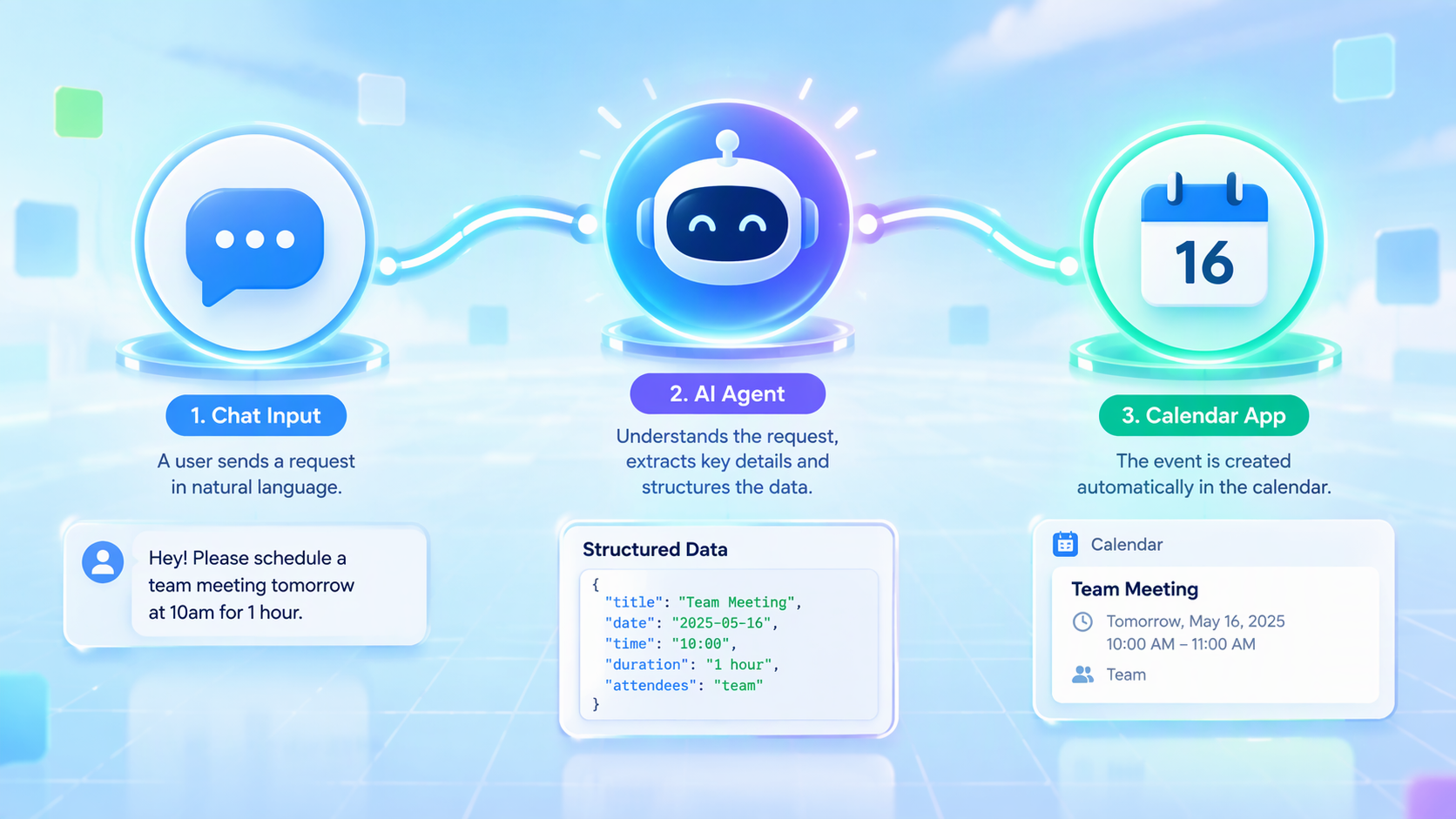
Imagine typing a message about an event and having the details turned into a calendar entry. In a tutorial by Soham Mehta, that simple idea becomes a small AI-assisted workflow built with n8n: a visual automation platform where connected nodes each handle a step in a process.
The example begins with an “On chat message” trigger. Its role is to listen for an incoming message, giving the workflow something to respond to. Next, an AI Agent processes the request and identifies event information such as the title, location and times. Instead of asking readers to build every part of this process as code, the tutorial presents it as connected components in a visual workflow.
The agent is paired with an OpenAI Chat Model node, which provides the model it uses. The tutorial describes four parts of the agent setup: its model, prompt, tools and output. Together, these pieces let the agent interpret the message and produce details that can be used by the next step.
That next step is a Google Calendar node. It takes the extracted event information and creates a calendar entry. The flow is therefore easy to follow: a message arrives, the agent turns it into structured event details, and the calendar node uses those details to create an event.
The tutorial also covers what readers need to try the example: an n8n account and a Google account. It outlines two ways to run n8n: through its cloud service or by hosting it locally, including with npm or Docker. These options give readers a starting point for setting up the platform before assembling the workflow.
What makes the example interesting is the hand-off between understanding a natural-language request and taking an action in another app. The AI agent interprets the message, while the connected calendar node carries out the specified task. It is a compact illustration of how separate steps can be linked into one automated workflow.
The tutorial focuses on showing how this example is assembled; it does not report measured accuracy, time savings, costs or business results. Nor does the example establish that the workflow is ready for production or explain broader safeguards such as human approval, security, privacy or error handling. Those limits are worth keeping in mind: a demonstration can show how a process is connected without proving how it will perform in every situation.
For readers curious about AI and automation, the calendar agent offers a clear way to see the basic idea in action: connect a message trigger, an AI agent and an app action, and pass useful information from one step to the next.
Source: How to Build AI Workflows with n8n, freeCodeCamp.org
Leave a Reply